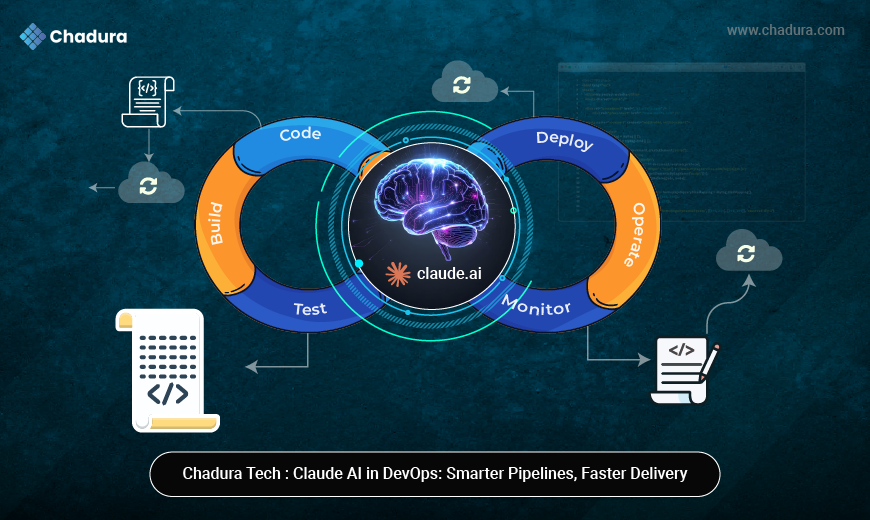

Running large language models locally is becoming a serious alternative to cloud APIs—especially for privacy, cost control, and offline workflows. While Claude AI itself is not officially distributed for local execution, developers often combine Claude-like workflows with Ollama to simulate similar capabilities using open-source models.
This guide explains what is actually possible, how to set it up step by step, and where most people misunderstand the “Claude + Ollama” setup.
Claude.ai Overview
Claude.ai is Anthropic's platform for their Claude AI models, and Ollama is an open-source tool for running large language models locally. Claude offers conversational AI for tasks like writing, coding, and analysis, while Ollama enables private, offline model execution on your machine.
Claude.ai provides access to Anthropic's Claude family of AI models, including Claude 3.5 Sonnet, designed for safe, helpful interactions. nIt supports agentic tools like Claude Code—a terminal-based coding assistant that edits files, runs commands, and automates workflows directly on your system. Users access it via web, apps, or API, with emphasis on ethics through Constitutional AI principles for honest, harmless responses.
Ollama Overview
Ollama is an open-source tool that makes running large language models locally as simple as running a Docker container. It handles model downloading, GPU offloading, quantization, and exposes a local REST API that mirrors the OpenAI format — making it easy to plug into any Claude-compatible client or SDK.
While the official Claude models by Anthropic run in the cloud, Ollama lets you run powerful open-weight alternatives like Mistral, LLaMA 3, and community fine-tunes that behave similarly — all fully offline.
3. Prerequisites & system requirements
MacOS 11 Big Sur or later, Ubuntu 20.04+, or Windows 10/11 with WSL2
Minimum 8 GB RAM (16 GB recommended for 7B models)
10 GB free disk space per model (Q4 quantized)
NVIDIA GPU with 8 GB+ VRAM — optional but strongly recommended
Docker Desktop — only needed for the Open WebUI browser interface
4. Installing Ollama — step by step
Download and run the installer
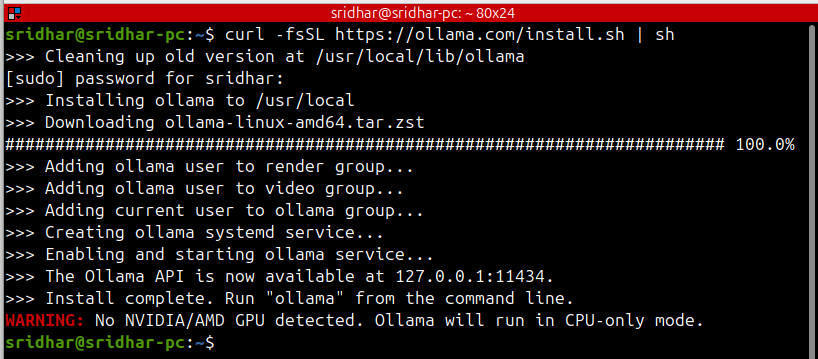
Open your terminal and run the official one-line installer. It downloads the Ollama binary, sets up a system service, and configures GPU detection automatically.
macOS & Linux
curl -fsSL https://ollama.com/install.sh | shmacOS & Linux
# Inside WSL2 terminal (Ubuntu), run the same Linux command:
curl -fsSL https://ollama.com/install.sh | sh

# Or download the native Windows .exe from:

# https://ollama.com/download/windows
STEP 01
STEP 02
Verify the installation
  ollama --version

# ollama version 0.5.x

# Check if the service is running

curl http://localhost:11434

# Ollama is running
STEP 03
Start or restart the service manually.On macOS and Linux, Ollama runs automatically as a background service. If it is not running, start it with:
# Start in background

ollama serve &

# Or as a system service on Linux

sudo systemctl enable ollama

sudo systemctl start ollama

sudo systemctl status ollama
5. Pulling a Claude-compatible model
Ollama hosts hundreds of open-weight models. These are the best options for a Claude-like experience:
# LLaMA 3.1 8B — best overall for most hardware (~4.7 GB)

ollama pull llama3.1

# Mistral 7B — very fast, great for coding (~4.1 GB)

ollama pull mistral # Gemma 2 9B — excellent reasoning (~5.4 GB)

ollama pull gemma2 # DeepSeek-R1 — strong math and reasoning (~4.7 GB)

ollama pull deepseek-r1

# See all downloaded models

ollama list
Models are stored in ~/.ollama/models. Download them once and run offline forever — no API key needed.
6. Running your first chat
Interactive terminal chat
ollama run llama3.1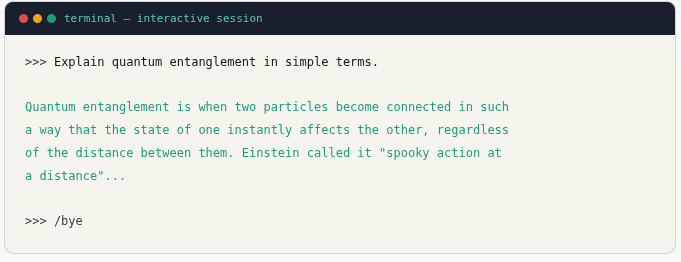
Create a Claude persona with a Modelfile
You can configure the model to behave like Claude using a Modelfile — setting a system prompt, temperature, and context length.
# Create a Modelfile
cat > Modelfile << 'EOF'
FROM llama3.1

SYSTEM """
You are Claude, a helpful, harmless, and honest AI assistant.
You are thoughtful, careful, and precise in your responses.
Always ask clarifying questions if the request is ambiguous.
"""

PARAMETER temperature 0.7
PARAMETER num_ctx 8192
PARAMETER top_p 0.9
EOF

# Build the custom model
ollama create claude-local -f Modelfile

# Run it
ollama run claude-local
7. Using the REST API
Ollama exposes a local HTTP API on localhost:11434. Use it from any language or tool.
cURL — quick test

curl http://localhost:11434/api/chat \
  -H "Content-Type: application/json" \
  -d '{
    "model": "claude-local",
    "messages": [{"role": "user", "content": "Hello!"}],
    "stream": false
  }'
Python
import requests

def chat(prompt, model="claude-local"):
    res = requests.post(
        "http://localhost:11434/api/chat",
        json={
            "model": model,
            "messages": [{"role": "user", "content": prompt}],
            "stream": False
        }
    )
    return res.json()["message"]["content"]

print(chat("Write a haiku about AI."))
Node.js
async function chat(prompt) {
  const res = await fetch("http://localhost:11434/api/chat", {
    method: "POST",
    headers: { "Content-Type": "application/json" },
    body: JSON.stringify({
      model: "claude-local",
      messages: [{ role: "user", content: prompt }],
      stream: false
    })
  });
  const data = await res.json();
  return data.message.content;
}

chat("Summarize the water cycle.").then(console.log);
8. Open WebUI — browser interface
Install Open WebUI with Docker
docker run -d -p 3000:8080 \
  --add-host=host.docker.internal:host-gateway \
  -v open-webui:/app/backend/data \
  --name open-webui \
  --restart always \
  ghcr.io/open-webui/open-webui:main
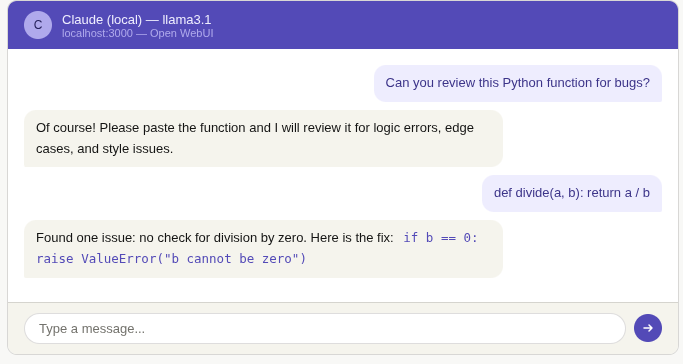
Then open http://localhost:3000 in your browser. Create a local account and select your model from the dropdown.
9. Advantages of running locally
Complete privacy : Your prompts and data never leave your machine
Zero usage cost : No API bills — run unlimited queries after setup
Works offline : No internet required after the initial model download
No rate limits : Send thousands of requests without throttling
Full customization : Custom system prompts, fine-tuned models
Model flexibility : Swap models instantly — Mistral, Gemma, LLaMA, DeepSeek
10. Conclusion
Running a Claude-compatible model locally with Ollama is now genuinely practical for everyday use. In under 15 minutes, you have a fully private AI assistant that runs on your hardware, responds in seconds with a capable GPU, and costs nothing to operate beyond electricity.
The setup covered in this guide — Ollama + a Modelfile persona + Open WebUI — gives you a complete workflow: terminal access for scripts and automation, a REST API for integration into your own apps, and a browser interface for conversational use.
While these open-weight models are not identical to Anthropic's Claude (which remains cloud-only at claude.ai), they are capable, flexible, and improve rapidly. For privacy-sensitive projects, offline environments, or cost-conscious deployments, local LLMs are now a serious option worth adding to your toolkit.