
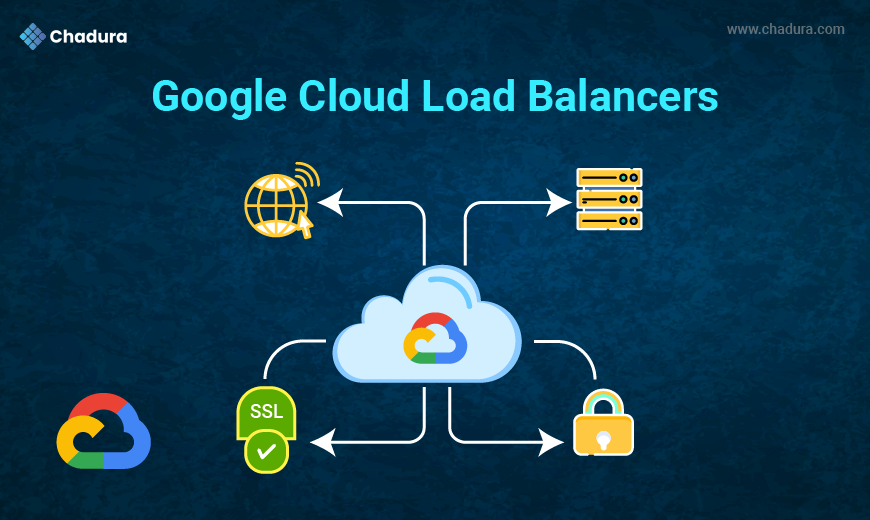
Chadura Tech, we often help organizations migrate to Google Cloud Platform (GCP) and design resilient cloud architectures. One of the most commonly misunderstood yet powerful services in GCP is Google Cloud Load Balancing. This blog explains Google Cloud Load Balancers in a simple, practical, and beginner-friendly way, while still covering enough depth for system administrators, DevOps engineers, and cloud architects.
What Is a Load Balancer?
A load balancer is a service that distributes incoming network traffic across multiple backend servers. Instead of sending all requests to a single server, the load balancer ensures:
- No single server is overloaded
- Applications remain available even if one server fails
- Users experience faster response times
Simple Example
Imagine a website hosted on one server. If 1,000 users access it at the same time, the server may crash or become slow. Now imagine three servers behind a load balancer. The load balancer intelligently sends traffic to all three servers, keeping the application fast and reliable.
Why Load Balancing Is Important in Google Cloud
Google Cloud Load Balancing is not just about traffic distribution. It is designed for global scale, high availability, and security.
Key benefits include:
- Automatic scaling with traffic demand
- Built-in health checks
- Global and regional traffic routing
- Integration with Google’s private global network
- Strong security with SSL/TLS and Cloud Armor
At Chadura Tech, we see load balancing as the foundation of a production-ready cloud architecture.
Google Cloud Load Balancing – An Overview
Google Cloud offers multiple types of load balancers to handle different kinds of traffic. Unlike traditional hardware-based load balancers, Google Cloud Load Balancers are:
- Fully managed
- Software-defined
- Highly scalable
Google Cloud Load Balancing works at different layers of the OSI model:
- Layer 7 (Application Layer)
- Layer 4 (Transport Layer)
Types of Google Cloud Load Balancers
Google Cloud provides several load balancer types, each designed for specific use cases.
1. HTTP(S) Load Balancer (Layer 7)
This is the most commonly used load balancer in GCP.
Key Features:
- Works at the application layer
- Supports HTTP and HTTPS traffic
- Global load balancing
- URL-based routing
- SSL termination
Common Use Cases:
- Web applications
- REST APIs
- Microservices
Chadura Tech Insight: For most modern web applications, the HTTP(S) Load Balancer is the best starting point.
2. Internal HTTP(S) Load Balancer
This load balancer is used for internal applications inside a VPC.
Key Features:
- Private IP-based access
- Layer 7 routing
- Ideal for internal microservices
Use Cases:
- Internal dashboards
- Backend services
- Service-to-service communication
3. TCP Load Balancer (Layer 4)
The TCP Load Balancer distributes traffic based on IP address and port.
Key Features:
- Regional load balancing
- Supports TCP traffic
- Very low latency
Use Cases:
- Non-HTTP applications
- Custom protocols
- Legacy systems
4. SSL Proxy Load Balancer
This load balancer terminates SSL connections at the load balancer level.
Key Features:
- SSL offloading
- Layer 4 load balancing
- Improved backend performance
Use Cases:
- Secure TCP-based applications
5. TCP Proxy Load Balancer
The TCP Proxy Load Balancer provides global load balancing for TCP traffic.
Key Features:
- Global access
- Automatic failover
- Intelligent routing
6. UDP Load Balancer
Designed for applications that rely on UDP traffic.
Use Cases:
- Online gaming
- Media streaming
- DNS services
Global vs Regional Load Balancing
Global Load Balancing
- Routes traffic to the closest healthy backend
- Uses Google’s global network
- Ideal for worldwide users
Regional Load Balancing
- Traffic stays within a region
- Lower cost
- Suitable for region-specific applications
Chadura Tech Recommendation: Choose global load balancing if your users are distributed worldwide. For internal or regional apps, regional load balancers are sufficient.
Core Components of Google Cloud Load Balancer
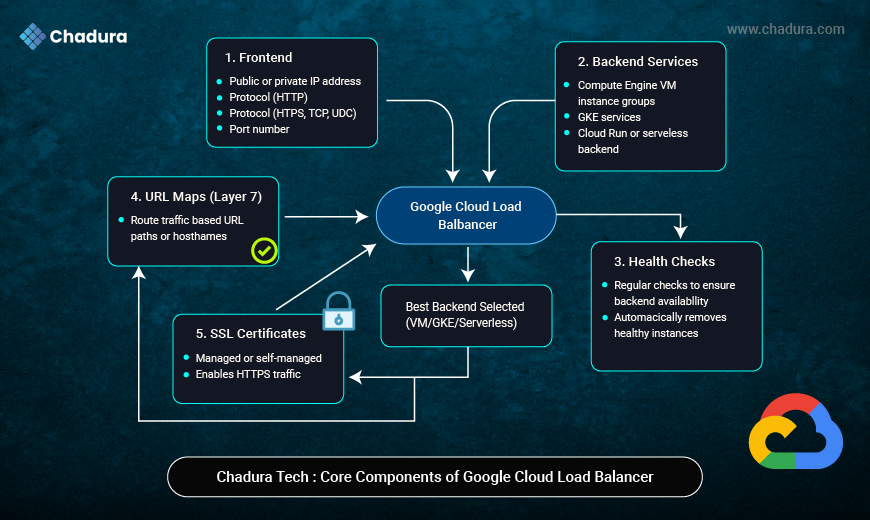
Understanding the building blocks makes configuration easier.
1. Frontend
- Public or private IP address
- Protocol (HTTP, HTTPS, TCP, UDP)
- Port number
2. Backend Services
- Compute Engine VM instance groups
- GKE services
- Cloud Run or serverless backends
3. Health Checks
- Regular checks to ensure backend availability
- Automatically removes unhealthy instances
4. URL Maps (Layer 7)
- Route traffic based on URL paths or hostnames
5. SSL Certificates
- Managed or self-managed certificates
- Enables HTTPS traffic
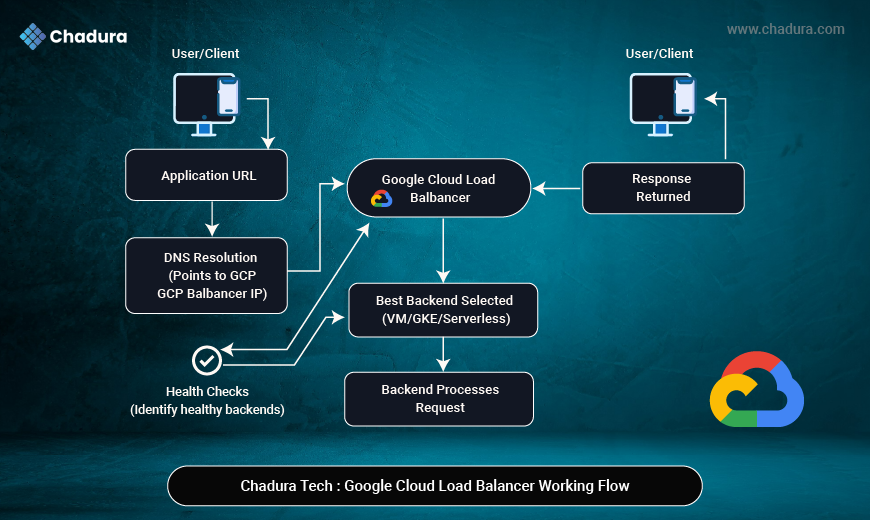
How Google Cloud Load Balancing Works (Simple Flow)
- User sends a request to the application URL
- DNS points to the Google Cloud Load Balancer IP
- Load balancer receives the request
- Health checks determine healthy backends
- Traffic is routed to the best backend
- Response is sent back to the user
All of this happens in milliseconds.
Load Balancing with Compute Engine
Google Cloud Load Balancers work seamlessly with Compute Engine VM instance groups.
Managed Instance Groups (MIGs)
- Automatically scale up and down
- Replace failed instances
- Ideal backend for load balancers
Chadura Tech Best Practice: Always use managed instance groups with load balancers for production workloads.
Load Balancing with Kubernetes (GKE)
In Google Kubernetes Engine:
- Services of type LoadBalancer create a cloud load balancer
- Ingress uses HTTP(S) Load Balancer
This allows:
- Auto-scaling pods
- Zero-downtime deployments
- Advanced traffic routing
Load Balancing for Serverless Applications
Google Cloud supports serverless backends such as:
- Cloud Run
- Cloud Functions
- App Engine
The HTTP(S) Load Balancer can route traffic to these services securely and efficiently.
Common Use Cases at Chadura Tech
We commonly implement Google Cloud Load Balancers for:
- High-availability web applications
- Microservices architectures
- SaaS platforms
- Enterprise internal portals
- API gateways
Best Practices for Google Cloud Load Balancing
- Use HTTPS everywhere
- Enable health checks
- Combine with autoscaling
- Use Cloud Armor for security
- Monitor performance continuously
Common Mistakes to Avoid
- Using unmanaged instance groups
- Skipping health checks
- Not enabling HTTPS
- Ignoring monitoring and logs
Future of Load Balancing in Google Cloud
Google continues to enhance load balancing with:
- Better integration with serverless
- Advanced traffic steering
- AI-driven optimizations
At Chadura Tech, we closely follow these updates to design future-ready cloud architectures.
Conclusion
Google Cloud Load Balancers are powerful, flexible, and highly scalable services that form the backbone of modern cloud applications. Whether you are running a simple website or a global SaaS platform, choosing the right load balancer ensures performance, availability, and security.
At Chadura Tech, we help businesses design, implement, and optimize Google Cloud Load Balancing solutions tailored to their needs. With the right architecture and best practices, load balancers can transform how your applications handle traffic.